Flexible source files
CSV and XLSX import, worksheet selection and configurable header handling.

PCARD AUDIT TOOLKIT
Windows desktop analytics for structured transaction data, Flagged Results and documented follow-up.

AuditLoft PCard Audit Toolkit is not currently available for purchase. Availability details →
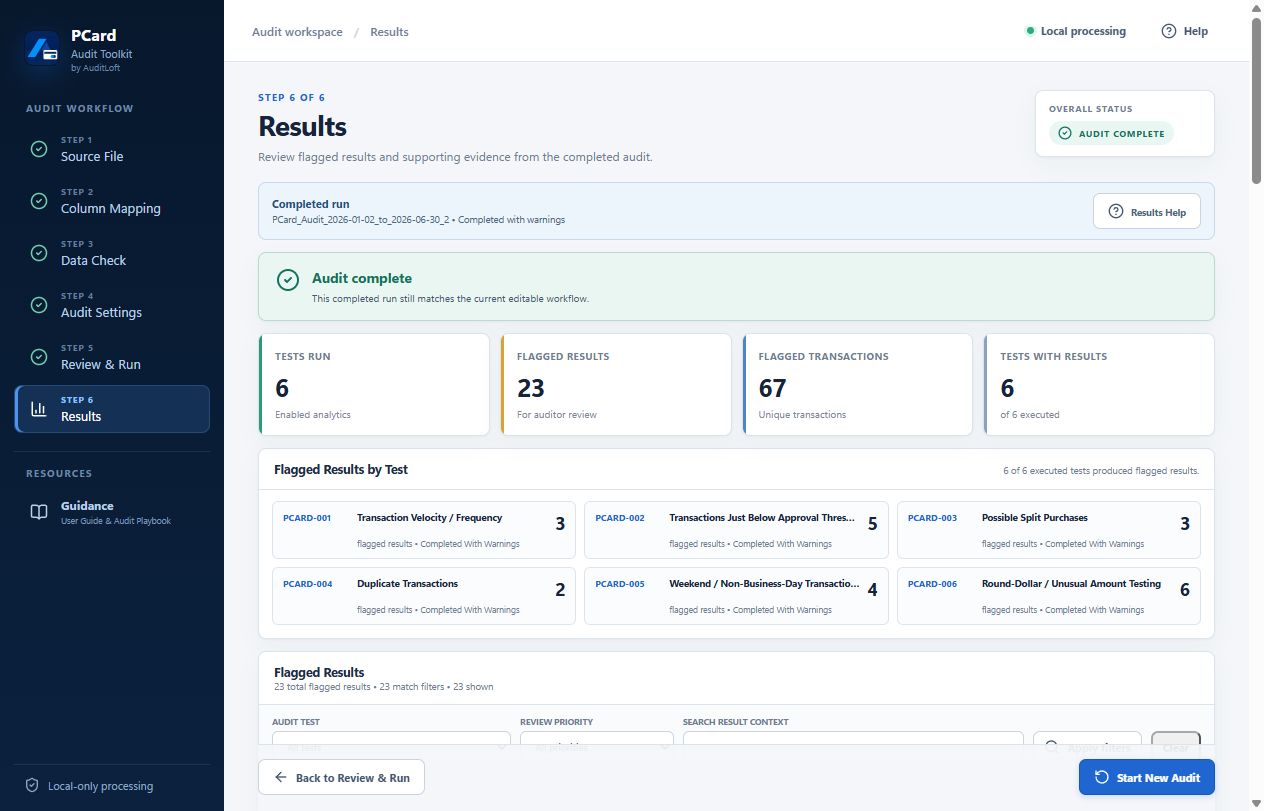
Synthetic sample data, not customer results or a performance claim. View full-size image
THE PCARD WORKFLOW
Use the analytical output as the starting point for a review, not as a final conclusion.
Import a CSV or XLSX file, choose the worksheet and header row, then map the source columns to the purchasing-card audit fields.
Review data quality and test eligibility. Select the available analytics and configure the parameters relevant to your review.
Examine the test summaries, review-priority information and supporting transaction evidence. A flag is a candidate for review, not proof of fraud or error.
Use structured Excel and JSON outputs, including summary and dashboard information, to carry the analysis into your audit work.
Record the evidence considered, explanations received and the professional judgment behind the disposition of a review candidate.
VERIFIED PRODUCT CAPABILITIES
The current application supports these workflows. Software distribution and purchasing remain unavailable.
CSV and XLSX import, worksheet selection and configurable header handling.
Map organization-specific source columns into standardized audit fields.
Check source-data quality and whether each analysis has the information needed to run.
Six test areas cover frequency, approval thresholds, possible split purchases, duplicates, non-business-day activity and round-dollar or unusual amounts.
Excel and JSON outputs provide summary, dashboard and review-priority information.
Transaction analytics run locally on Windows. An upload to an AuditLoft cloud analysis service is not required.
EXCEL OUTPUT
This dashboard was captured in native Microsoft Excel from a report generated by the application using synthetic sample data.
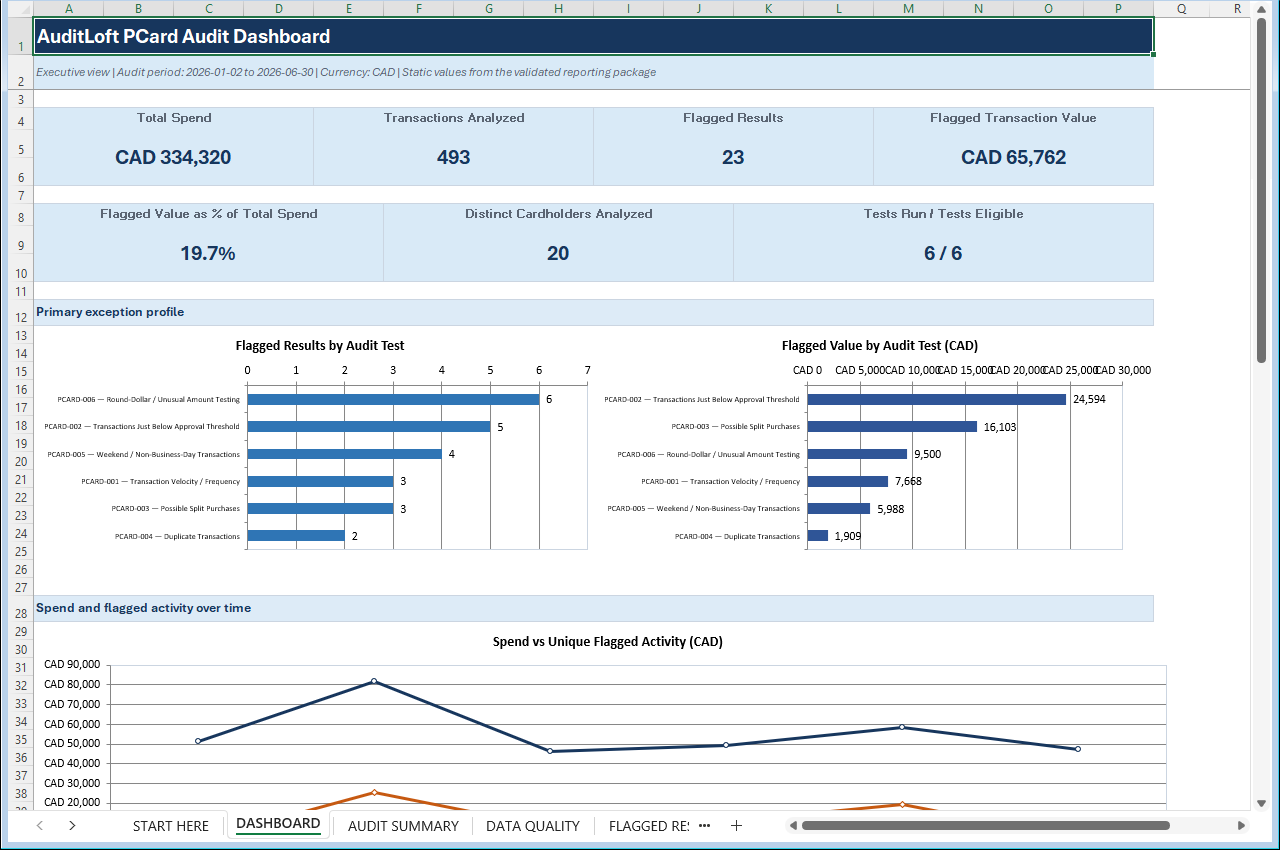
Synthetic sample data, not customer results or a performance claim. View full-size image
PRICING & AVAILABILITY
AuditLoft PCard Audit Toolkit is not currently available for purchase.
The project is on hold. This website is informational only: checkout, installer downloads and license activation are not available.
No commercial release date is announced. Any future pricing, license terms or release details will need to be confirmed before sales begin.
Contact AuditLoftPRODUCT QUESTIONS
No. AuditLoft PCard Audit Toolkit is not currently available for purchase. The project is on hold, and the website has no checkout, installer download or license-activation service.
Yes. They show the actual application and a generated report in Microsoft Excel, using a synthetic PCard sample. The figures are illustrative sample results, not customer results.
No. Flagged Results direct attention to candidates for review. Auditors must consider context, corroborating evidence and professional judgment before reaching conclusions.
No upload to an AuditLoft cloud analysis service is required. The Windows desktop application processes transaction analytics locally.
Product documentation concerns setup, workflow, audit tests and troubleshooting. The application includes a local Guidance Center, but a public web documentation library is not available. This page summarizes the workflow; the Resources page provides separate educational guidance.